Stop Manually Copying Bank Statement Data: There's a Faster Way
Every month, it's the same story. You download your bank statements, open up a spreadsheet, and start the tedious process of typing in each transaction one by one. Date, description, amount. Date, description, amount. Over and over again.
If you've ever spent hours manually entering bank transactions into Excel or Google Sheets, you know how mind-numbing this work can be. And let's be honest - after the hundredth entry, mistakes start creeping in. A mistyped number here, a skipped transaction there. Before you know it, your books don't balance and you're hunting through pages trying to find where things went wrong.
There's a better way. What if you could upload your bank statement PDF and get all that data automatically extracted into a clean spreadsheet? No typing. No copying and pasting. No more squinting at tiny numbers on a PDF.
That's exactly what PDF Parser does.
The Problem with Manual Data Entry
Whether you're a bookkeeper managing multiple clients, an accountant reconciling monthly statements, or a small business owner trying to keep track of expenses, you've probably felt the pain of manual PDF data entry.
Bank statements are particularly frustrating because:
According to studies, manual data entry has an error rate of about 1% - which might sound small until you realize that means roughly one mistake for every 100 entries. When you're dealing with financial data, even one error can cause major headaches down the line.
How PDF Parser Makes Your Life Easier
PDF Parser is a simple online tool that reads your bank statement PDFs and extracts all the transaction data automatically. You don't need to be tech-savvy to use it. If you can upload an email attachment, you can use PDF Parser.
Here's how it works in three simple steps:
Step 1: Upload Your Statement
Just drag and drop your bank statement PDF into PDF Parser, or click to browse your files. The tool accepts statements from virtually any bank - Chase, Bank of America, Wells Fargo, local credit unions, you name it.
Step 2: Let PDF Parser Do the Work
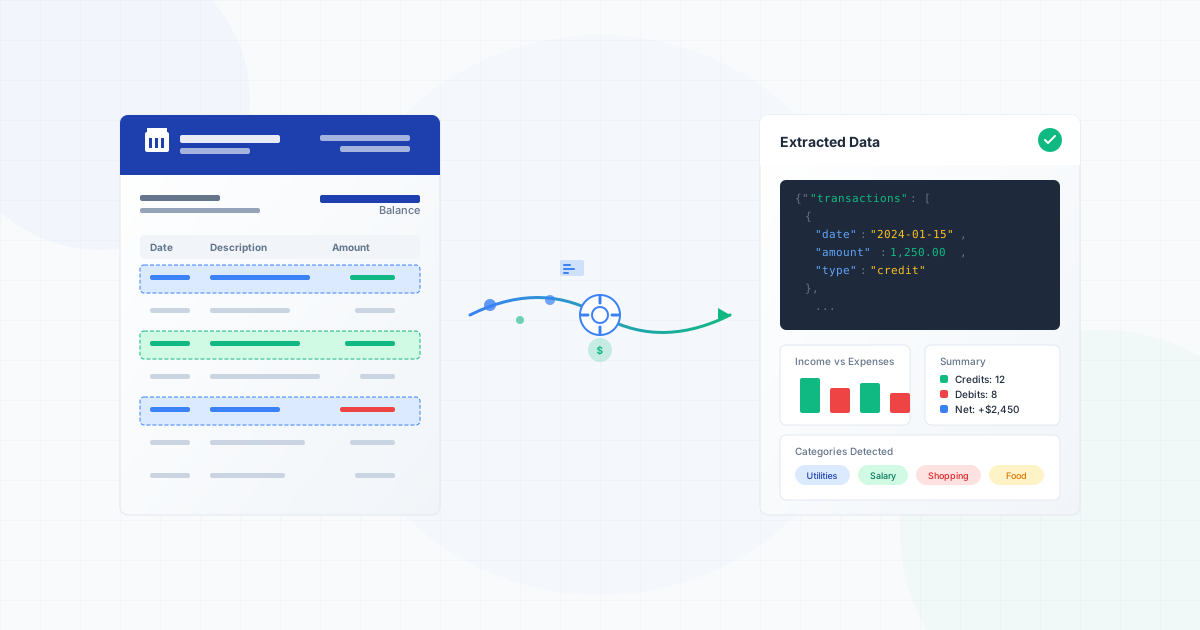
Within seconds, PDF Parser scans your document and identifies all the transaction data. It pulls out the dates, descriptions, and amounts - exactly what you need for your spreadsheet. The tool is smart enough to understand different bank statement formats, so you don't have to do any special setup.
Step 3: Export to Your Spreadsheet
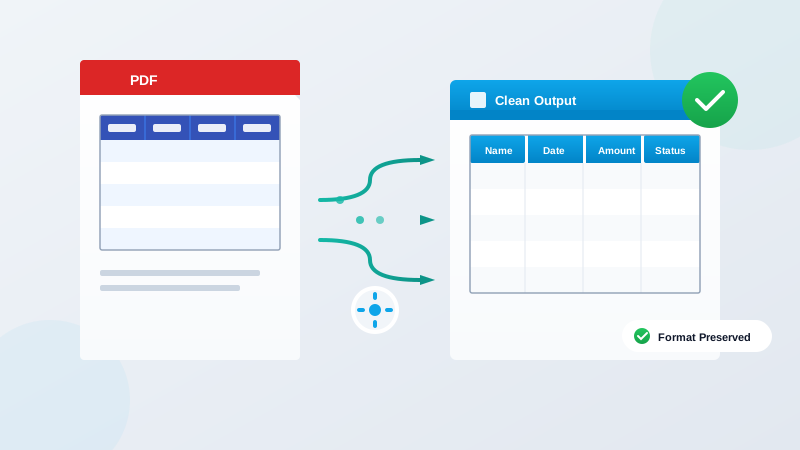
Once the data is extracted, you can download it as a CSV file that opens perfectly in Excel or Google Sheets. All your transactions are neatly organized in columns, ready for you to use. No reformatting needed.
That's it. What used to take you an hour or more now takes about a minute.
Real-World Examples
Monthly Reconciliation
Sarah manages the books for a small retail business. Every month, she reconciles three bank accounts - the main operating account, a savings account, and a credit card. Before PDF Parser, this meant manually entering over 200 transactions. Now, she uploads all three statements, downloads the extracted data, and imports it directly into her accounting software. What used to take her half a day now takes less than 15 minutes.
Expense Tracking for Tax Season
Mike is a freelance consultant who dreads tax season. He needs to categorize a full year of business expenses, which means going through 12 months of bank and credit card statements. With PDF Parser, he extracts all his transactions into one master spreadsheet, then uses simple filters to sort and categorize his expenses. He went from spending an entire weekend on this task to finishing it in a single afternoon.
Client Bookkeeping
Jennifer runs a bookkeeping service with 15 small business clients. Each month, she processes statements from multiple accounts for each client. PDF Parser has become essential to her workflow - she estimates it saves her 10+ hours every month, time she now uses to take on additional clients.
Why Accuracy Matters
Beyond saving time, there's another huge benefit to automated extraction: accuracy. When you're manually typing hundreds of numbers, mistakes are inevitable. Your eyes get tired, your attention wanders, and suddenly you've typed $1,523 instead of $1,253.
PDF Parser reads the numbers directly from the PDF, eliminating human error from the equation. The data you get is exactly what's on your statement. This means fewer discrepancies when you reconcile, fewer frustrated hours hunting for errors, and more confidence in your financial records.
Getting Started is Free
You can try PDF Parser right now without spending a penny. The free tier lets you process several statements so you can see how it works with your specific bank's format. There's no software to install - it runs right in your web browser.
For bookkeepers and accountants who process statements regularly, affordable monthly plans let you extract unlimited documents. When you consider how much time you'll save, it pays for itself almost immediately.
Stop Wasting Time on Manual Entry
Every hour you spend manually copying data from bank statements is an hour you could spend on work that actually matters - analyzing financial trends, advising clients, or simply getting home earlier.
PDF Parser takes the most tedious part of your job and makes it almost effortless. Upload a PDF, get a spreadsheet. It really is that simple.
Ready to reclaim your time? Visit PDF Parser today and try it free with your next bank statement. Your future self (and your eyes) will thank you.